
A system built around your business.
Stock, sales, money and people, in one place.
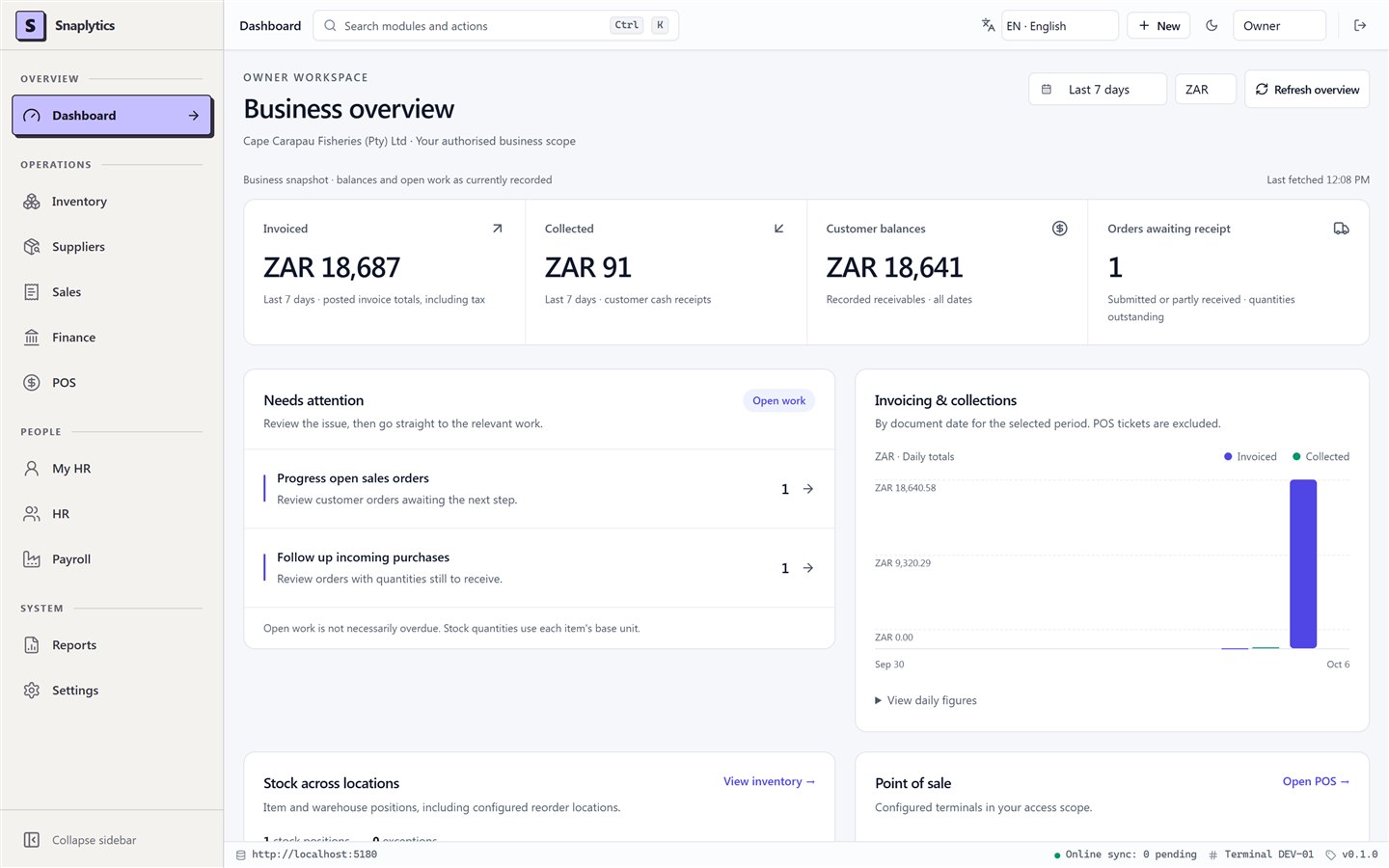
Everything your business runs on, connected and under control.
Made for the way you work.
Your business has its own way of working. Your software should follow it.
Snaplytics builds SES for businesses that hold stock and serve customers at a counter. We load your products, customers, suppliers and opening balances, set up your branches, roles and approvals, and install the system where you want it. There are no fees per user, and you can buy it outright if you prefer.
How it worksEvery part of the business.
Connected in SES.
From stock and purchasing to finance and people, explore the modules that bring your daily operations together.
Stock management,
from receipt to sale.
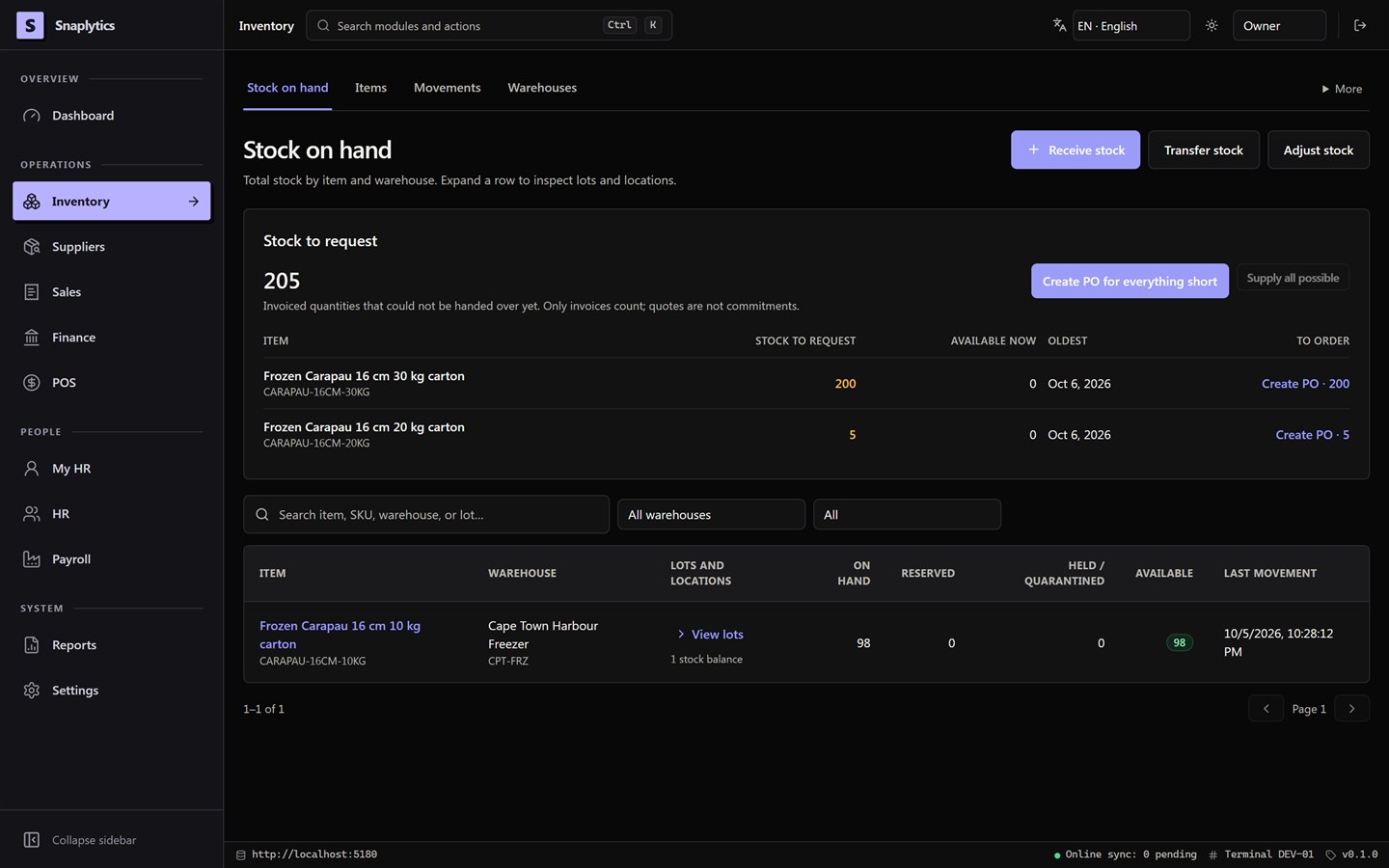
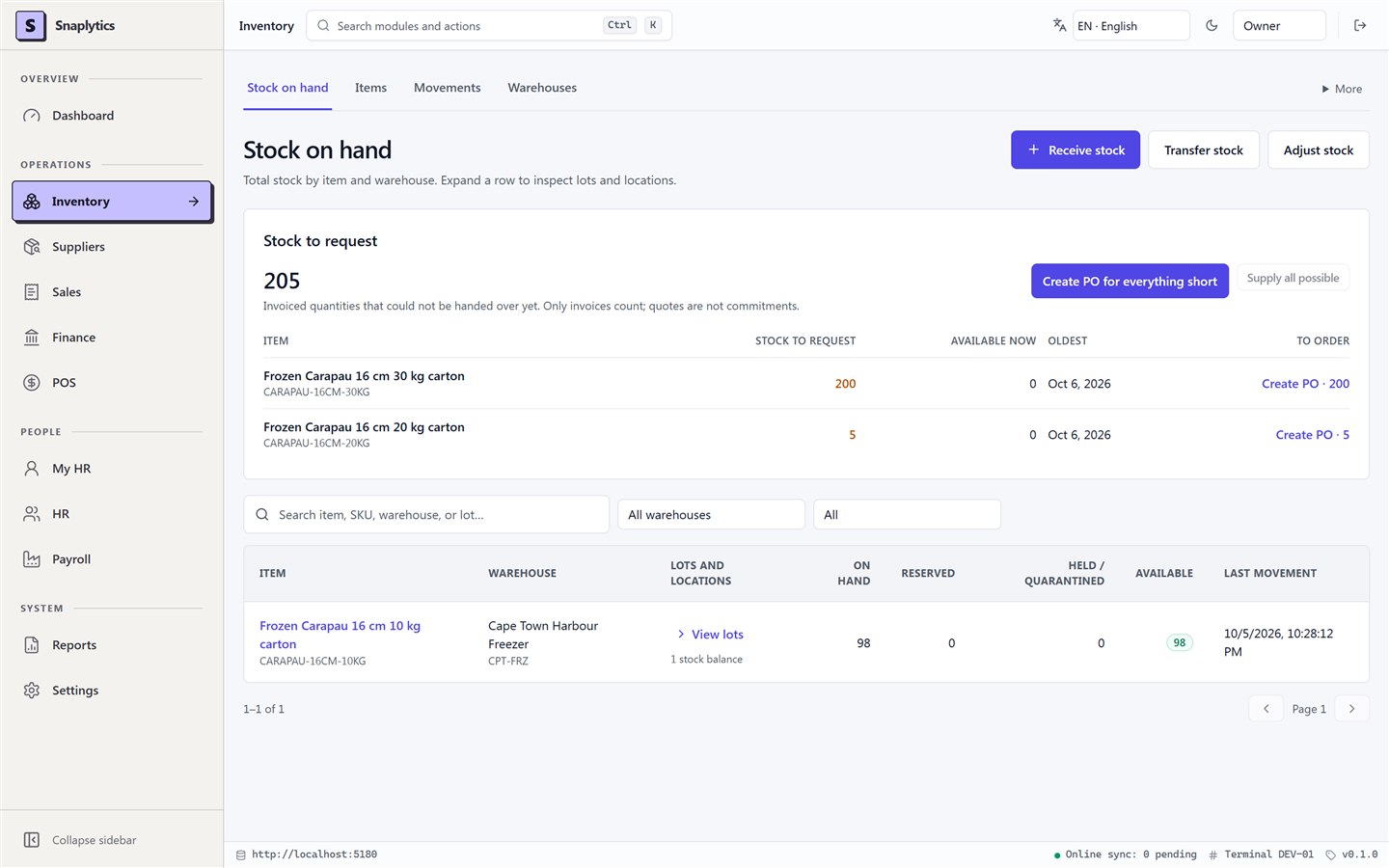
Manage products, units, warehouses and locations, with lot-level traceability across receipts, transfers, adjustments and stock counts.
Know what you hold, where it is and what needs replenishing.
- Receive & store
- Move & count
- Reserve & replenish
Purchasing,
from request to payment.
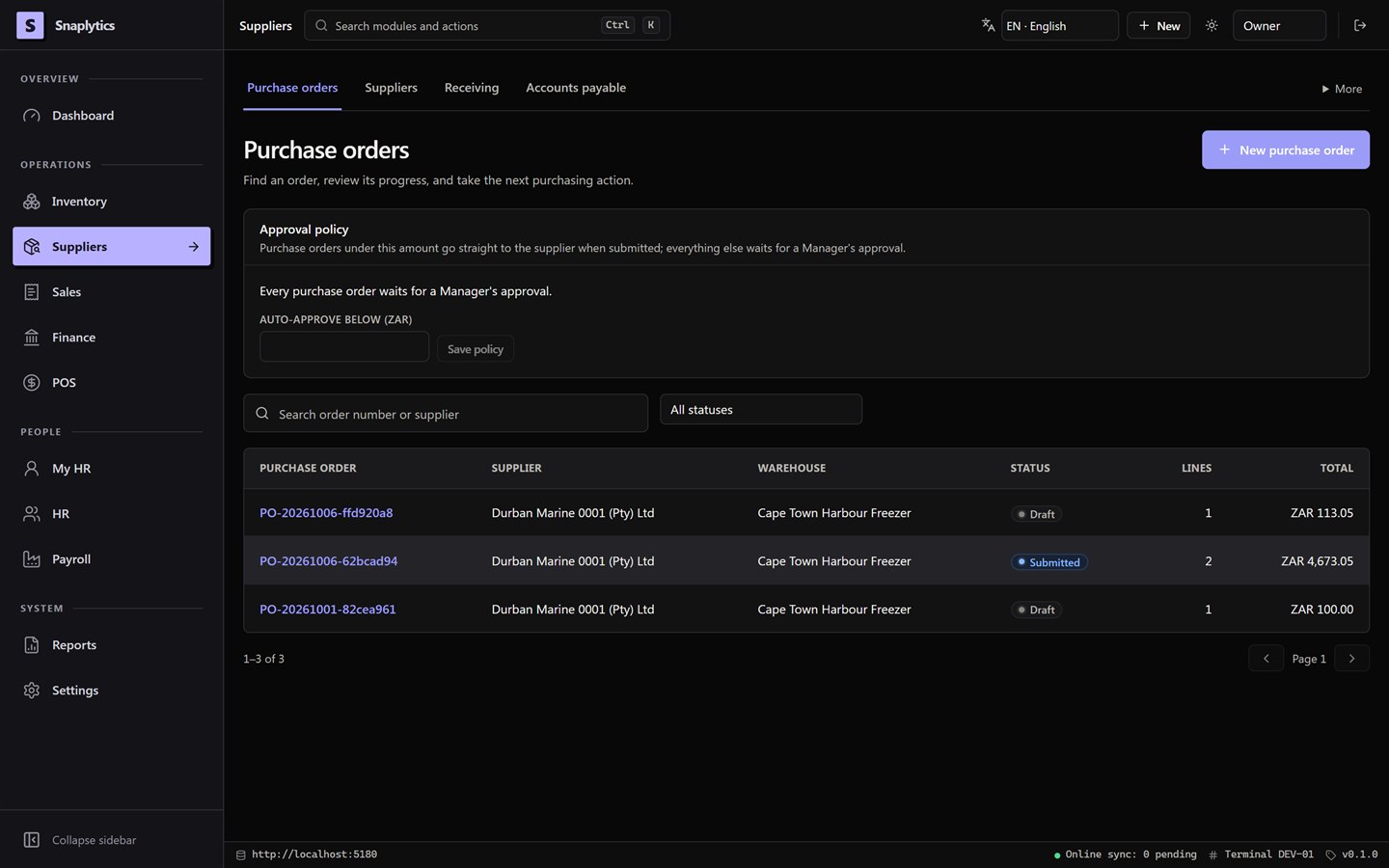
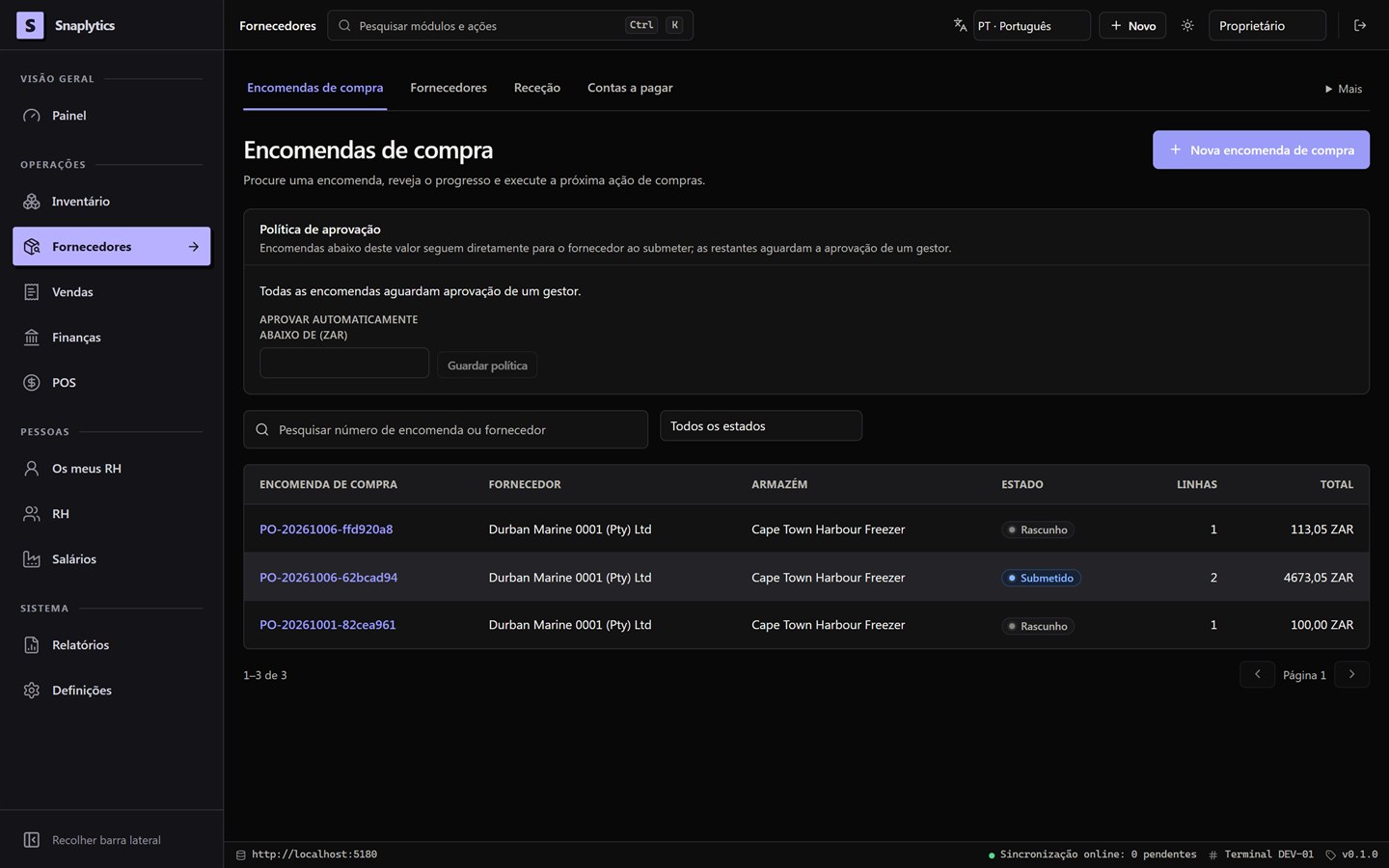
Manage suppliers, requisitions, purchase orders and approvals, then carry each purchase through receiving, invoice matching and payment.
A connected record of what you ordered, received and paid for.
- Request & approve
- Receive & match
- Pay & reconcile
Sales management,
from quote to collection.
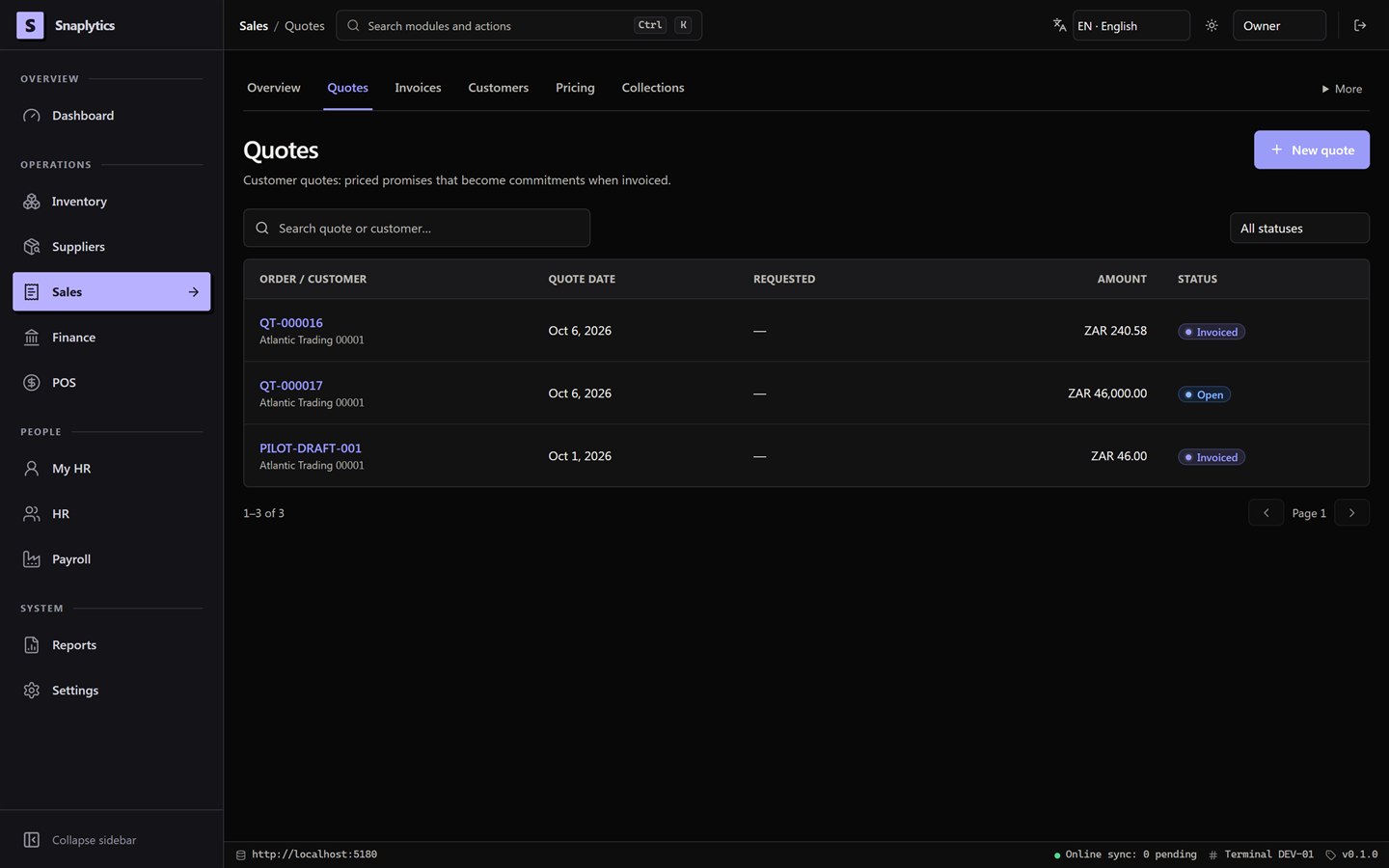
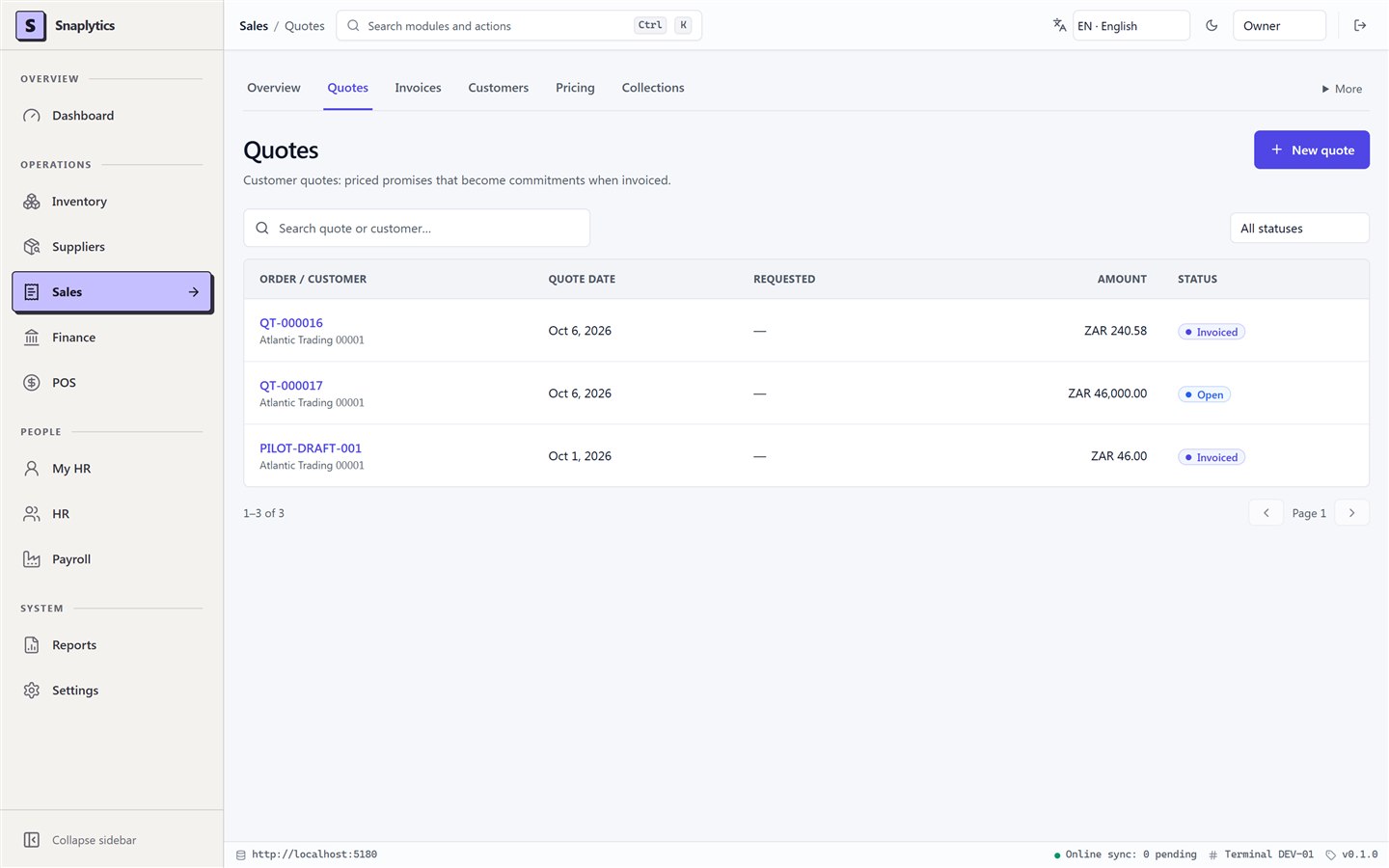
Manage customers, pricing and quotes, then follow invoices, deliveries, receipts and outstanding balances through the sales cycle.
Keep the customer, the goods and the money connected.
- Quote & invoice
- Despatch & deliver
- Collect & allocate
Point of sale,
from opening to cash-up.
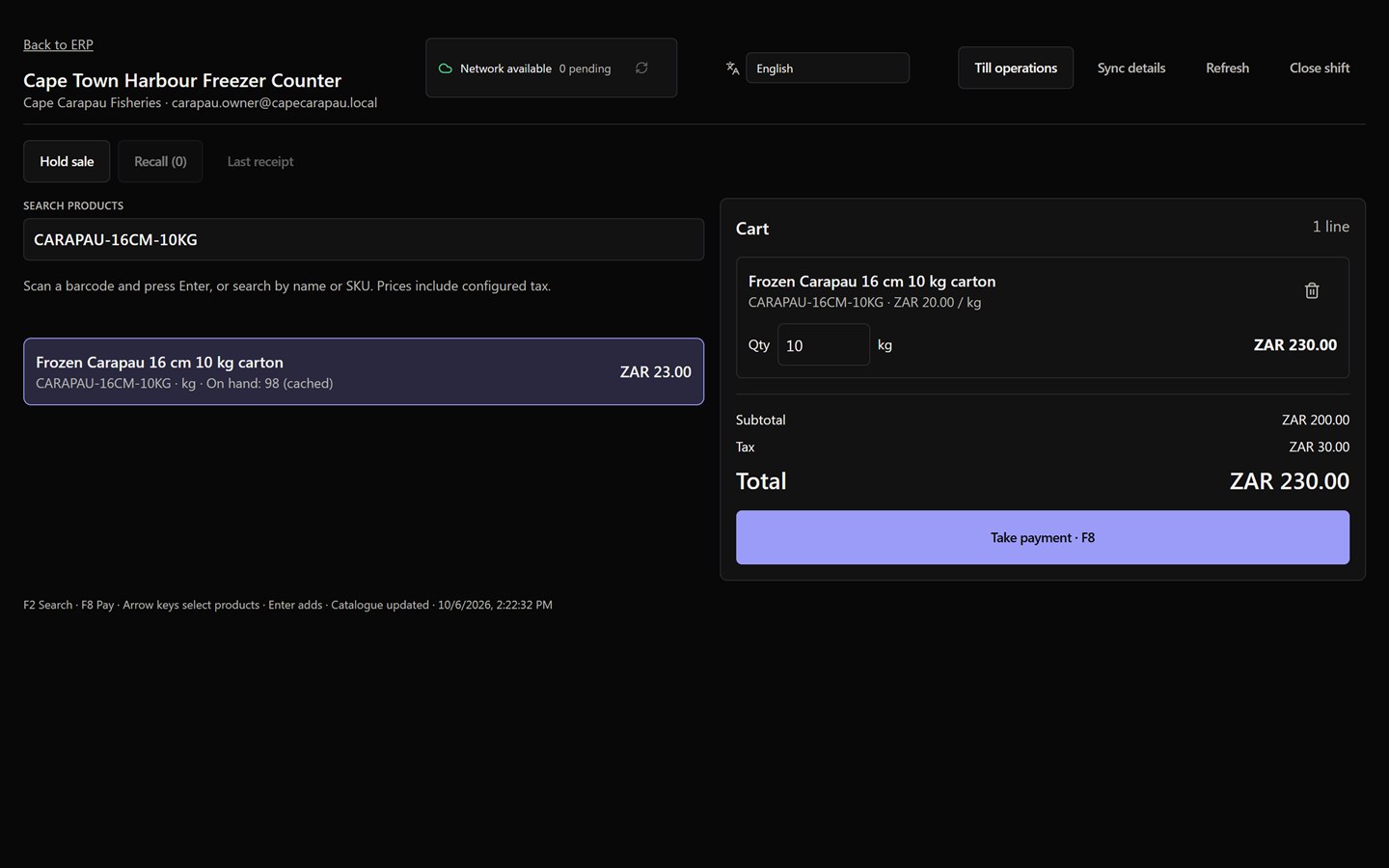
Run counter sales with product search, barcode entry, payments and refunds, supported by till shifts and offline sales synchronisation.
A sales counter connected to stock, payments and the shift record.
- Open shift
- Sell & take payment
- Review & cash up
Finance and accounting,
through to the close.
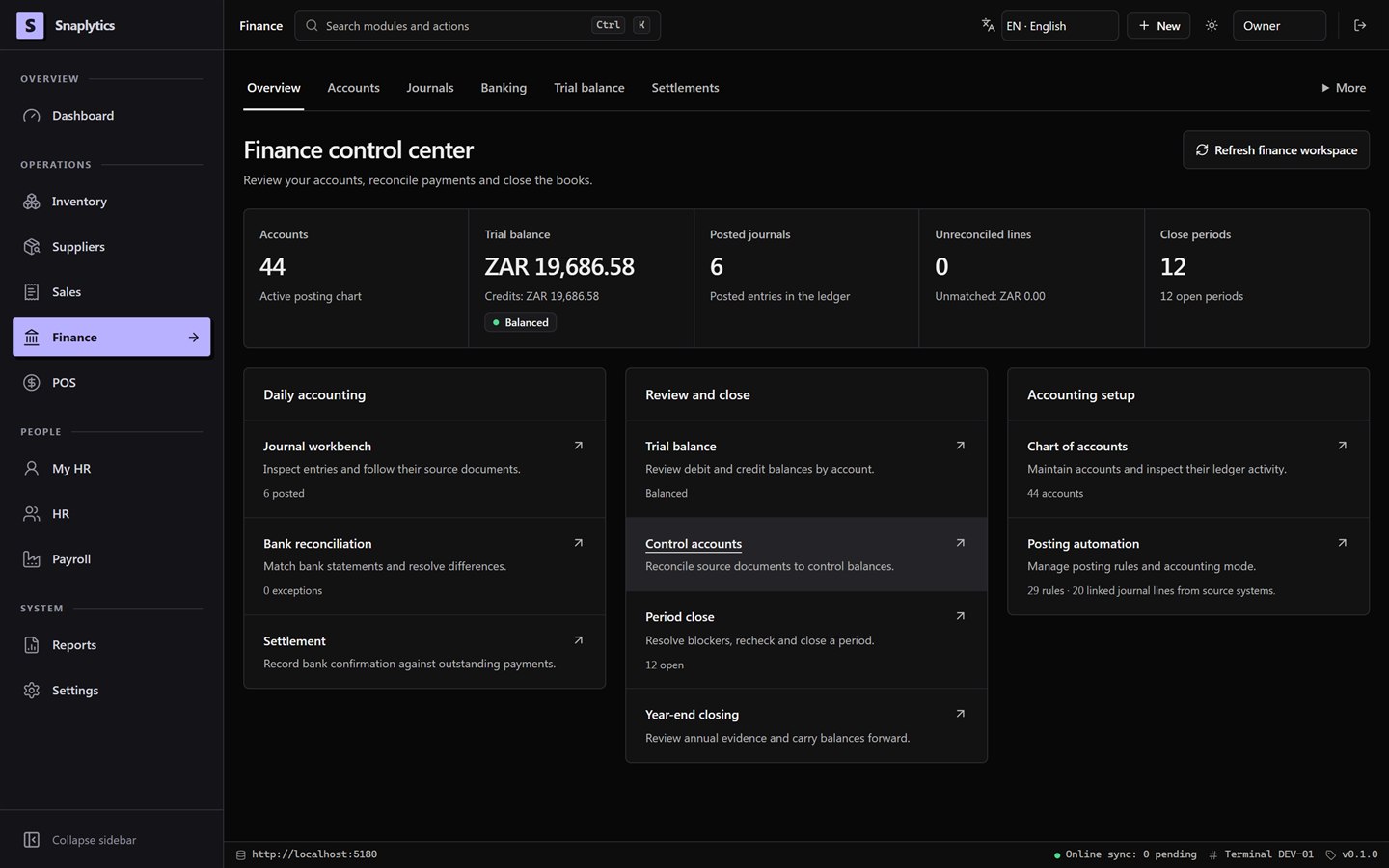
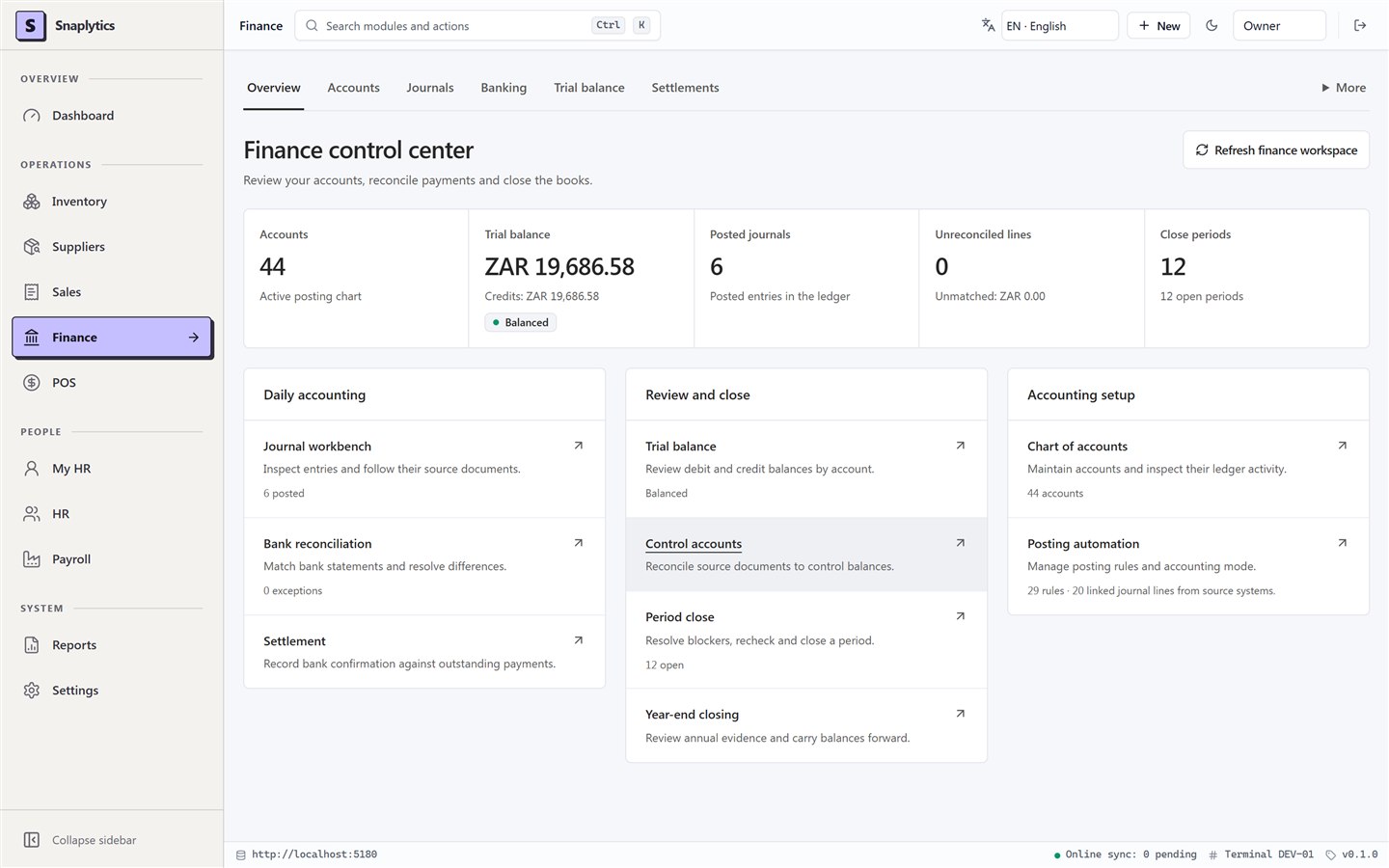
Manage the chart of accounts, journals, bank reconciliation and financial periods, with operational postings connected to the ledger.
A traceable path from daily transactions to the books you close.
- Post activity
- Reconcile balances
- Review & close
Human resources,
throughout employment.
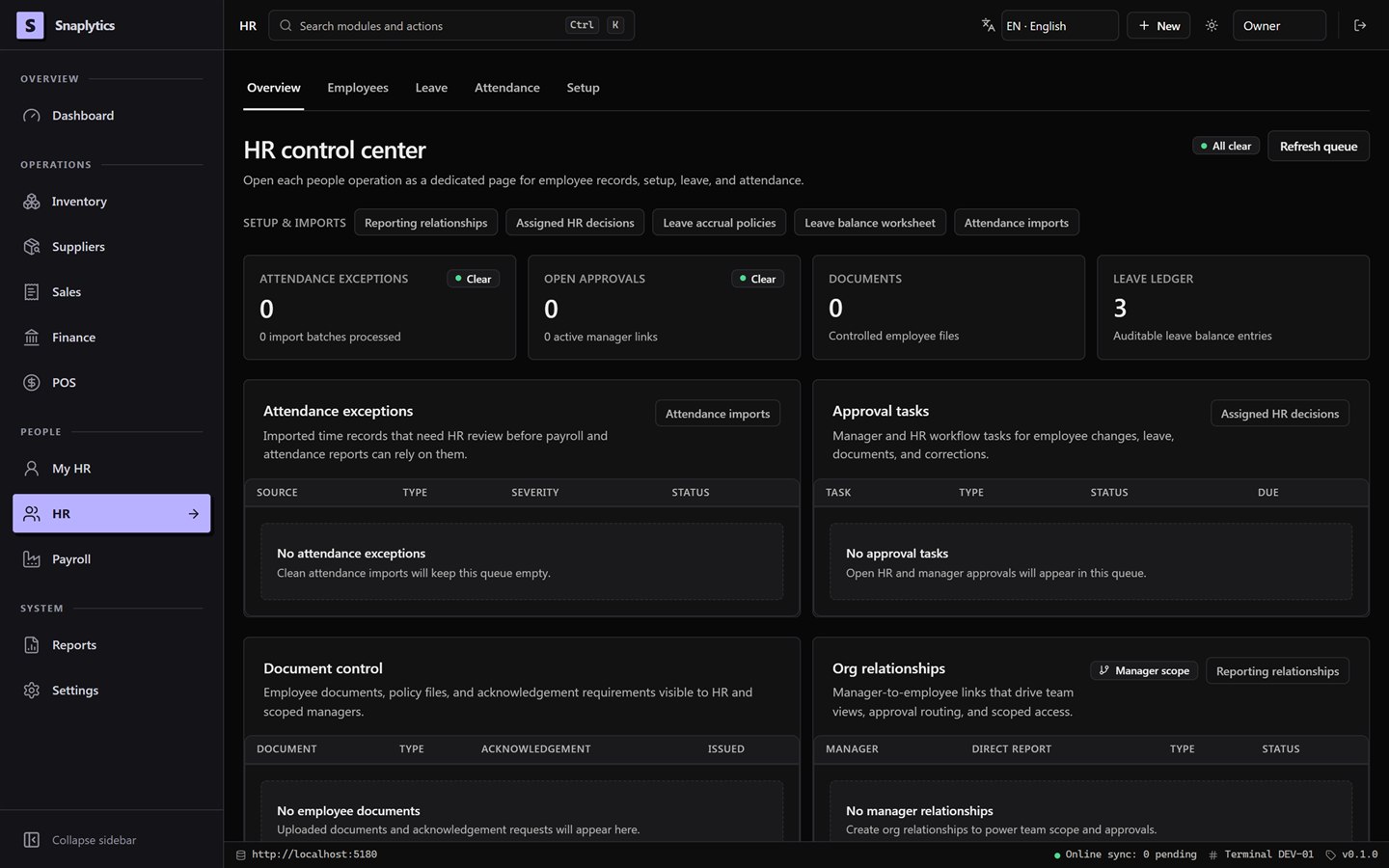
Manage employee records, contracts, departments and reporting relationships, alongside leave, attendance and controlled employee documents.
One place to manage your people and the decisions that affect them.
- Maintain records
- Manage time & leave
- Review & approve
Payroll,
with review at every stage.
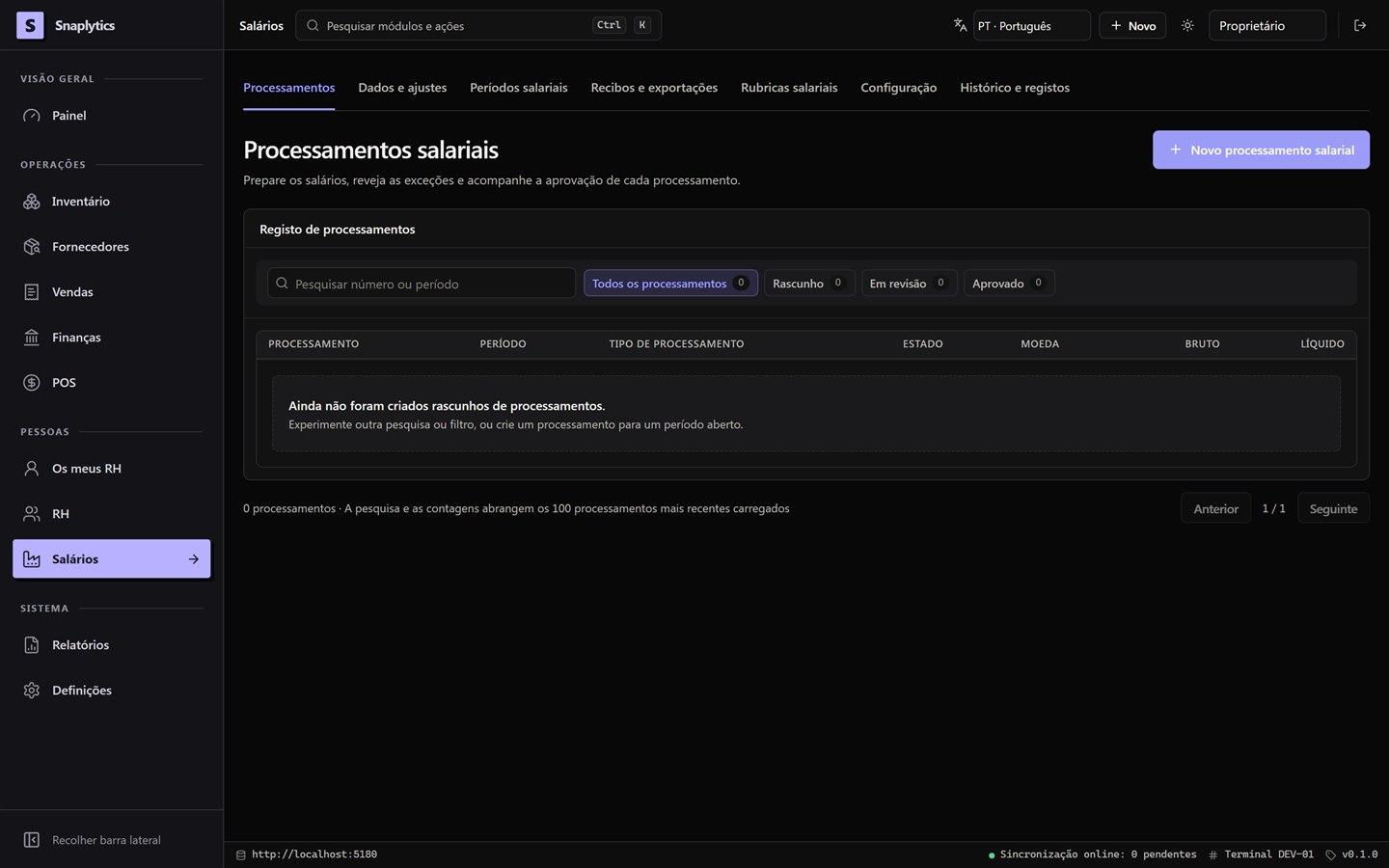
Manage pay periods, pay codes, employee inputs and adjustments, then calculate, review and approve payroll runs before issuing payslips and exports.
A repeatable pay cycle with clear review steps and a retained record.
- Prepare & calculate
- Review & approve
- Issue & export
Reporting and audit,
across the operation.
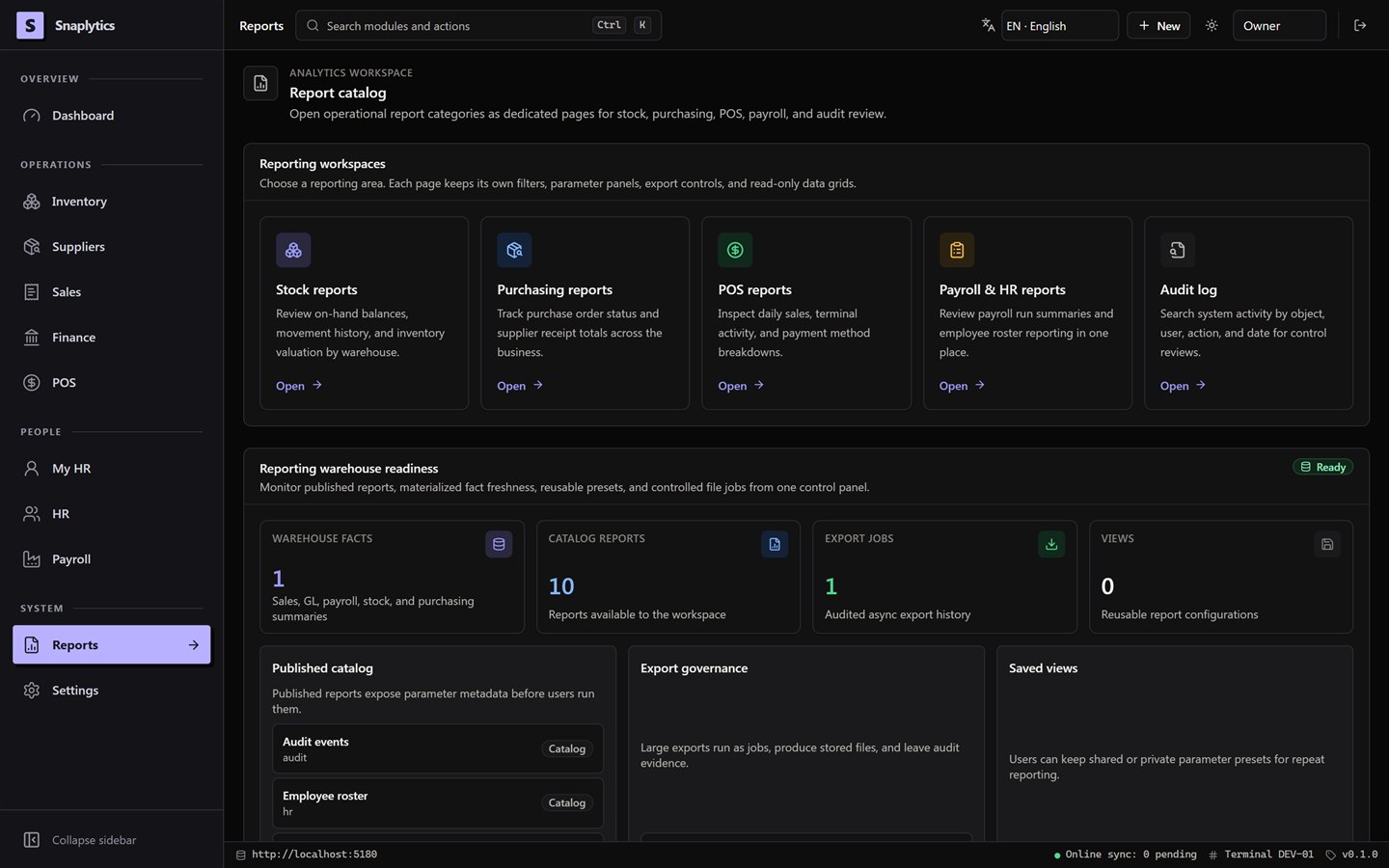
Explore stock, purchasing, sales at the till, payroll and employee reports, with audit search and controlled exports to support operational review.
Operational reporting with a route back to the underlying activity.
- Choose & filter
- Review & drill down
- Save & export
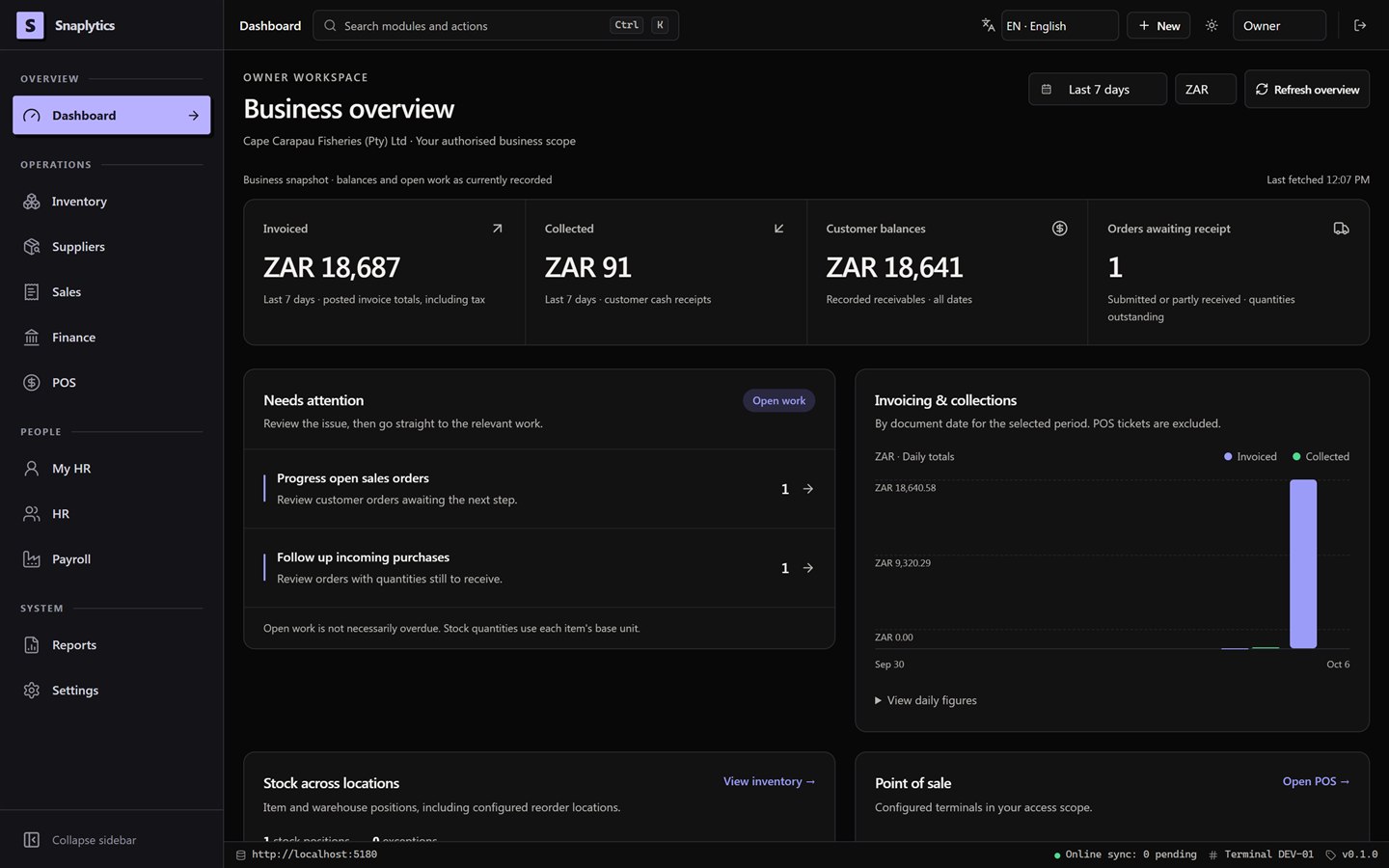
Every part of the business. One picture.
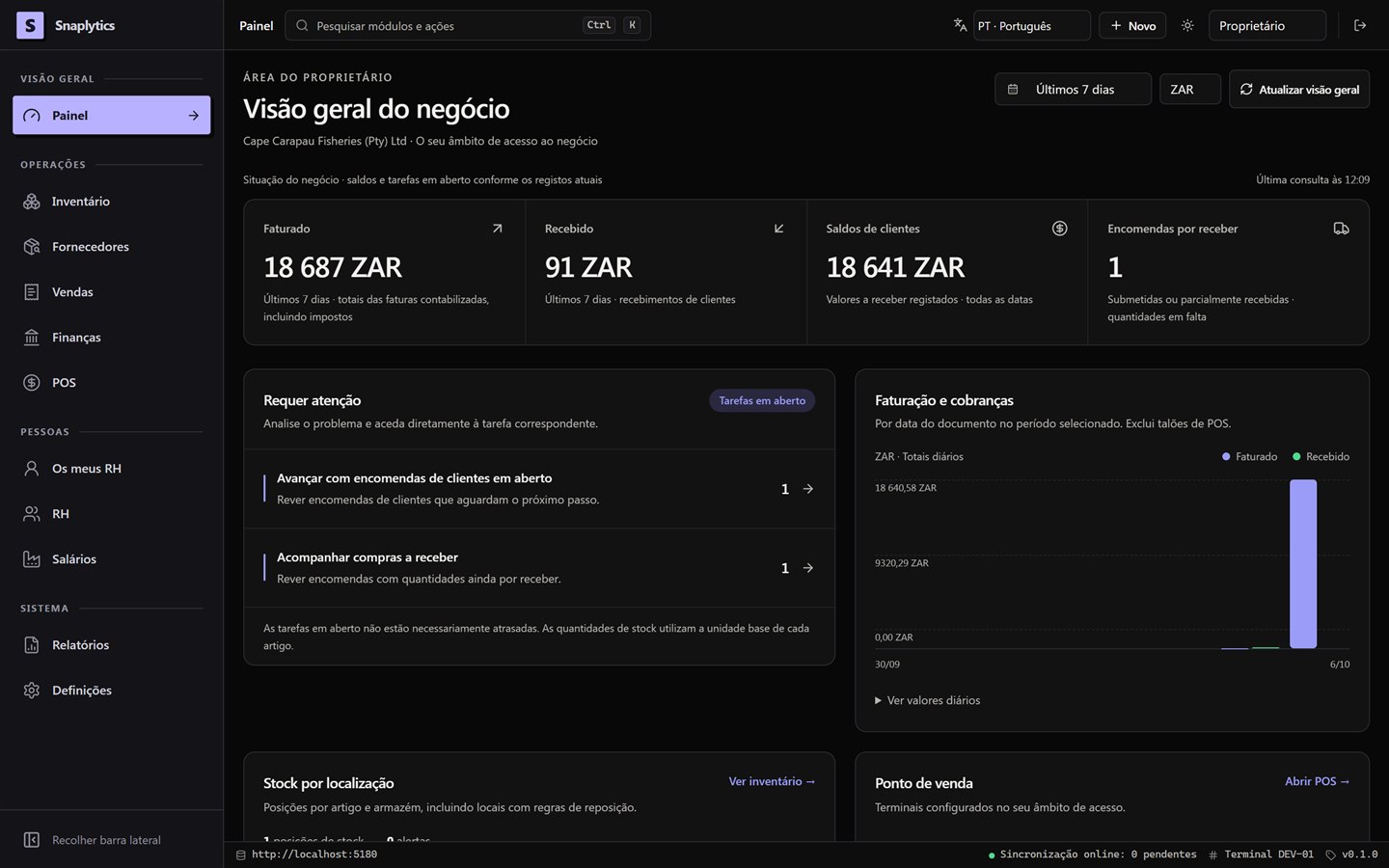
From the first purchase order to the last sale of the day, your team works from the same numbers.
Built for the counter, the cold store and month-end.
The till keeps selling when the internet drops
Sales are stored safely on the till and sent to the server when the connection returns. Any clash is reviewed by a supervisor instead of quietly changing your stock figures.
Stock in lots, bins and kilograms
A 10 kg carton and a loose kilogram live in the same stock record. Every delivery, movement and count carries its lot number, so a refund knows exactly which carton came back.
Fast for people who use it all day: Ctrl K reaches anything
One shortcut opens any screen or action. On the till, F2 finds a product and F8 takes payment. Barcode scanners work out of the box.
Deliveries recorded as they actually arrived
Each delivery line is marked accepted, rejected or short. Freight and other costs are added to the stock value, and the supplier's invoice is checked against the order and the delivery before anyone pays it.
Controls your auditor will like.
Nothing is deleted, every correction has a reason, and month-end shows exactly what is still open.
Nothing is deleted
Stock movements and journal entries are never edited. A wrong delivery or payment is reversed, and both entries stay on record with the person and the date.
Payroll locks once approved
A payroll run is checked, reviewed by payroll, reviewed by finance and approved, each step by a different person. After that it cannot change, only be reversed.
Month-end with a clear list
Before a period closes, SES lists every unposted document, unmatched bank line and open till. The evidence is kept afterwards.
People see only their own area
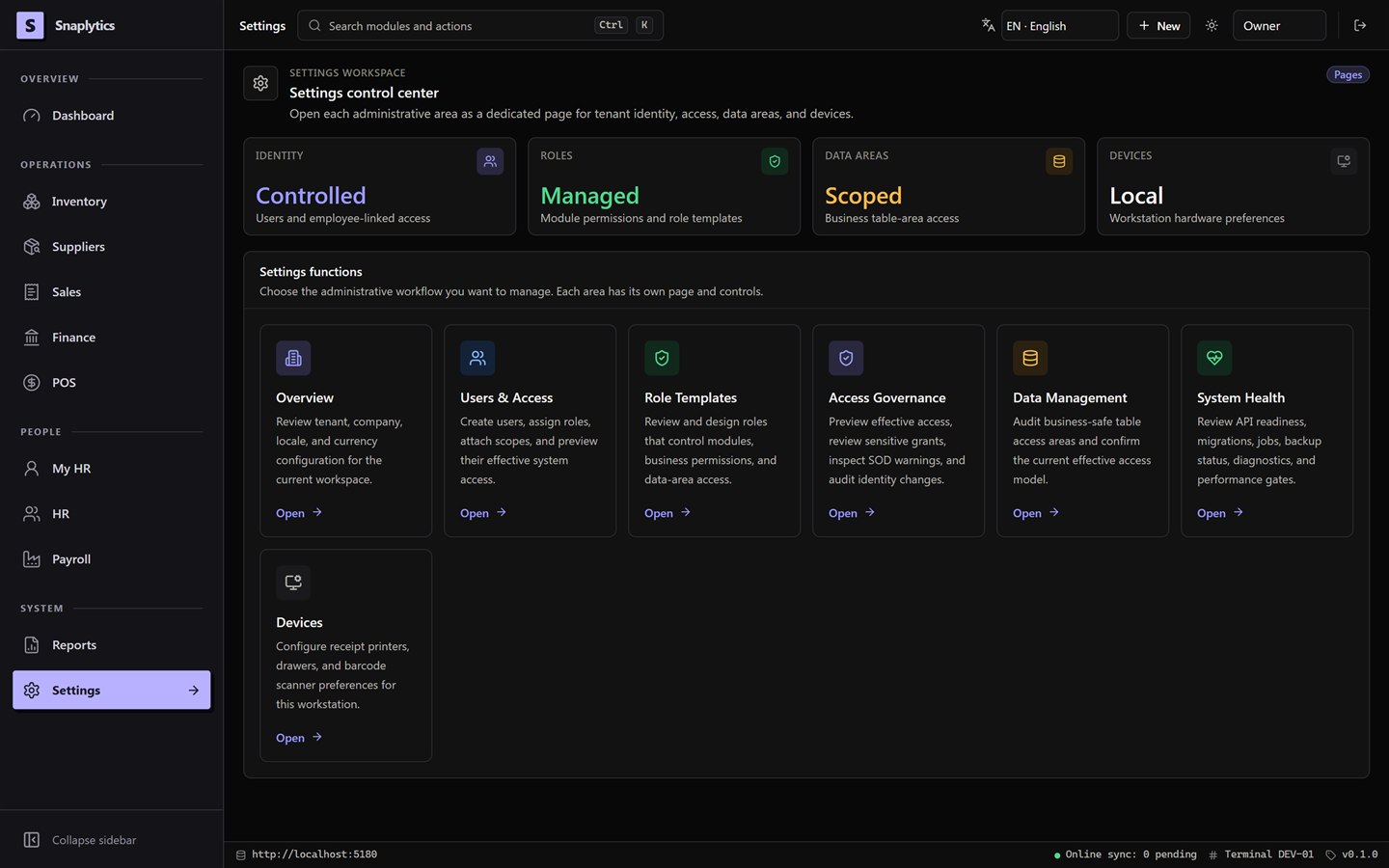
A stock controller in Cape Town cannot see Durban's stock. Duties can be separated, access is reviewed, and every action checks what the person is allowed to do.
Backups that have been tested
A backup runs every night. SES only reports it as verified if a full restore has been tested within the last 90 days.
Cash differences need a signature
A difference at cash-up is approved by a supervisor, with a reason. Unresolved card payments cannot be hidden.
Your server, ours, or yours outright.
Installed at your premises
One Windows PC or small server runs the system. Your computers connect over your own network, and your data never leaves the building.
We run the server for you
A dedicated, secure server monitored and backed up by us. Your branches connect from anywhere, and the tills still sell offline.
Yours after implementation
Pay for the fitting and a once-off licence, and the installed system belongs to you. It keeps working whether or not you ever pay us again.
We measure before we cut.
Send us a sample of your data. Within a week you receive a written fit report and a fixed quote. No charge.
Request a fit assessmentMade for businesses that move cartons, boxes and kilograms.
Frozen and fresh food
Seafood, meat, poultry and dairy. Cold stores, lot numbers, cartons sold by weight and counters with offline tills. The first SES pilot is a frozen-fish distributor.
Hardware and building supply
Thousands of product lines, trade customers who pay in parts, supplier returns and freight costs across branches. Ready without new development.
Motor trade and parts
The anonymised records of a multi-branch motor group, with thousands of employees and millions of ledger lines, have been loaded into SES. Parts, finance and payroll first; vehicle deal files later.
Wholesale and cash-and-carry
Counter sales, EFT and cash receipts, customer balances and daily settlement.
Measure, pilot, fit.
Discovery call
Your sites, current tools, team size and the one process that costs you the most.
BookFit assessment
We load your sample data and return a written fit report with a fixed quote.
RequestPaid pilot
One branch, one till, your data and your people. The success criteria are agreed in writing before we start.
Ask about pilotsFitting and go-live
Full data load, roles per branch, approval rules, training for each role, switch-over with opening balances, and support through your first month-end.
Request a quoteCare and expansion
A quarterly review of how the system is working for you. The next branch, module or report when you are ready.
OptionsWhat you receive before paying anything.
The report contains
- An assessment of each data file you send: products, customers, suppliers, opening balances and employees
- How many records load cleanly, how many need a decision, and what those decisions are
- Your branches, warehouses, tills and roles, mapped as SES would set them up
- The approval rules we recommend for purchasing, payroll and month-end
- What SES will not do for you yet, in writing
- A fixed quote for the pilot and the fitting, with a timeline
What we need from you
- One person who can decide how the business should run in the system
- Sample exports from your current tools, usually spreadsheets, in the first week
- About two hours a week from a stock lead and a cashier during the pilot
- Your bookkeeper or accountant for opening balances and the first month-end
- A Windows PC to act as the server, or the decision to let Snaplytics host
- Straight feedback at the end of the pilot, against the agreed criteria
Three editions. Fitted to your business.
Pricing is quoted per site in your fit report, once we have seen your data. On your own server there are no fees per user or per till.
Compared with the usual options.
| SES | Till app + accounting app + payroll tool + spreadsheets | Mid-market ERP suites | Open-source ERPs | |
|---|---|---|---|---|
| Stock, tills, accounts and payroll in one system | Yes | Four systems, reconciled by hand | Yes | Yes, after configuration |
| Tills keep selling offline | Yes | Depends on the till app | Usually an extra module | Partly, browser-based |
| Priced per site, unlimited users and tills | Yes | Per user, per app | Per user | Free software, paid hosting and partners |
| Installed on your own server, data stays with you | Yes | Mostly cloud only | Yes, as a large project | Yes, if you run it yourself |
| Buy it outright and keep using it | Yes | No | Sometimes, with maintenance | Yes |
| Lot tracking and quantities in kilograms | Yes | Rarely | Yes | Yes |
| South African payroll rules | Yes | In the payroll tool | Via local module | Via local partner |
| Set up on your data by the people who build it | Yes | No | Through a reseller | Through an implementer |
| Tax returns submitted for you | Not yet | In the payroll tool | Yes | Through a local partner |
General comparison as at October 2026. Other products change; check their current terms. The SES column describes what is built and tested today.
A trial balance you can stand behind.
You see the problems before the owner does. Refer a client to SES and you get a ledger that posts from daily operations, bank lines you can reconcile, a month-end with evidence, and a journal export for your own software.
Ask about the accountant programme- Automatic postings from invoices, receipts, stock and payroll
- Control-account reconciliation and trial balance on demand
- Year-end close with an approval step and reversal
- Journal export to your accounting package
Straight answers.
Do you really not charge per user?
Correct. On your own server, one licence covers a site with unlimited users and tills, on subscription or once-off. Only when Snaplytics hosts the server do we charge a small amount per user and till, because that capacity costs us.
What happens when the internet goes down?
If the server is in your building, everything keeps working. If we host it, the tills keep selling and send their sales when the connection returns. Office work waits for the connection.
Is it SARS compliant?
Payroll calculates PAYE, UIF, SDL and ETI according to South African rules and produces the statutory summaries. We do not yet submit returns to SARS for you, and we do not claim compliance we have not built. Ask us for the current plan.
Can we leave and take our data?
Yes. The database sits on a server you can access, every report exports to a spreadsheet and documents export to PDF. With a once-off purchase the system keeps running after you stop paying us.
How long until we are live?
A pilot takes four to six weeks after the fit report, and a full fitting four to eight weeks after that. Most businesses are live within three months of the first call.
What do we need on site?
Windows computers for the people who use it, and either one machine to act as the server or a hosted plan. Barcode scanners work now. Receipt printers and cash drawers are being added.
Does it only run on Windows?
The desktop application runs on Windows today. The server runs on Windows or Linux. A browser version is possible later, but we will not sell it until it exists.
Who installs updates?
Snaplytics does, under a care plan, after rehearsing the upgrade on a copy of your database. Automatic updates are planned; until then we do not pretend they exist.
What we are building, and not yet selling.
- Signed installer and automatic updatesSo every computer stays current without a visit.
- Receipt printers and cash drawersPrint receipts and open the drawer directly from the till. Scanners already work.
- VAT return figures and payroll submission filesThe figures your accountant submits, taken straight from the ledger and the approved payroll.
- Expiry dates and first-expiry-first-outFor food businesses, on top of the lot tracking that already exists.
- Hosting proven end to endWe will sell hosting once we have run the full procedure on a live server.
- Portuguese tax rulesThe interface is already in Portuguese. The tax and payroll rules for Portugal and Portuguese-speaking Africa come later.
Planned work, without promised dates. Nothing on this list is included in your fit report until it is released.